

So there I was, auditing a client’s site that had exactly one analytics tool installed. Simple job, I thought. Then I opened the network tab and counted fourteen external domains getting a ping on the homepage. Fourteen. The owner knew about two of them.
That’s the thing about website tracking in practice. It’s rarely one deliberate choice. It’s a pile of small decisions — a theme, a plugin, an embedded video, a font — each quietly sending visitor data somewhere. Let’s break down what’s actually running on a typical site, what each method collects, and how to find yours in about fifteen minutes.
Website Tracking Is No Longer Just Cookies
Ask most site owners what tracking means and they’ll say cookies. That was true a decade ago. It isn’t now.
Cookies got squeezed hard. Safari and Firefox block third-party cookies by default, Chrome has changed its plans on them more than once, and consent banners cut the rest. So the industry adapted. The tracking didn’t stop — it moved to methods that don’t need a cookie at all.
That matters for you, because your legal and ethical obligations follow the data, not the mechanism. Swapping a cookie for a fingerprint doesn’t make anything simpler. If anything, it makes it harder to explain in your privacy notice. For the ground rules that apply either way, this overview of what GDPR changed for analytics is the short version.
The Methods, Least to Most Invasive
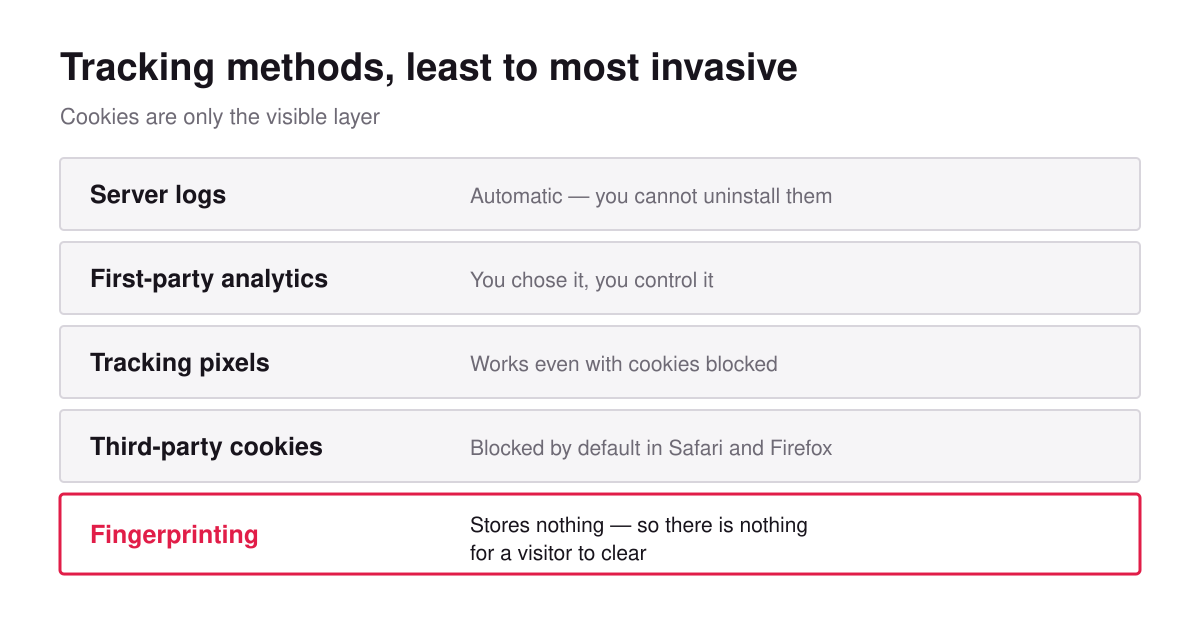
Here’s the landscape on one screen.
| Method | What it needs | Follows people across sites? |
|---|---|---|
| Server logs | Nothing — it’s automatic | No |
| First-party analytics script | A script on your pages | No |
| First-party cookie | Storage on the device | No |
| Tracking pixel | An image or beacon request | Yes |
| Third-party cookie | Storage set by another domain | Yes |
| Fingerprinting | Nothing stored at all | Yes |
Notice the bottom row. Fingerprinting stores nothing, which is exactly why it’s the most concerning one. There’s no cookie for a visitor to clear and nothing obvious for them to see.
Server logs
Your web server writes a line for every request: IP address, timestamp, URL, user agent, referrer. This happens whether you install anything or not.
People forget logs count. An IP address is personal data under EU rules, so your retention period and access controls apply here too. Most hosts keep logs for 30 to 90 days by default. Worth checking yours, because it’s the one form of tracking you can’t uninstall.
First-party analytics
A script on your pages reports back to a tool you chose. This is the honest middle ground — you know it’s there, you control it, and the data stays in one relationship.
Whether it needs consent comes down to one question: does it store or read anything on the device? A script that sets an identifier does. One that counts server-side without touching the browser generally doesn’t. That single design decision is what separates a site that needs a banner from one that doesn’t.
Tracking pixels
A pixel is a tiny image or beacon request to another company’s server. Loading it hands over the visitor’s IP, user agent, and the page they’re on. Ad platforms use these to build conversion audiences.
Here’s the kicker: a pixel works even with cookies blocked. The request itself carries enough to be useful to the receiver. So “we removed cookies” and “we stopped sharing data” are completely different statements.
Fingerprinting
Instead of storing an ID, fingerprinting builds one from what the browser reveals anyway — screen size, fonts, time zone, language, graphics rendering quirks. Combine enough weak signals and you get something surprisingly unique.
You can see this for yourself in about ten seconds. The EFF’s Cover Your Tracks tool shows how identifiable your own browser is. It’s a genuinely uncomfortable demo.
Some analytics tools use a deliberately weak, rotating version of this to count sessions for a single day — no cross-site linking, discarded daily. That’s a different animal from commercial fingerprinting built to follow people around. Same technique, opposite intent, and regulators do look at intent and scope.
The Tracking You Didn’t Install
This is where most sites leak, and it’s almost never intentional.
- Embedded video — a standard embed can contact the platform before anyone presses play
- Web fonts from a CDN — every page load sends the visitor’s IP to the font host
- Maps — same pattern, on your contact page
- Social buttons and feeds — these are tracking widgets that happen to render a logo
- Chat widgets — usually the heaviest, often with their own cookies
- Comment systems — third-party ones frequently bundle ad-tech
- Theme and plugin extras — fonts, icon sets, “usage statistics” phoning home
Fonts are the one that catches people out. Self-hosting them is usually a one-line change, it removes a third-party data flow entirely, and it’s often faster. Free win.
Audit Your Own Site in 15 Minutes
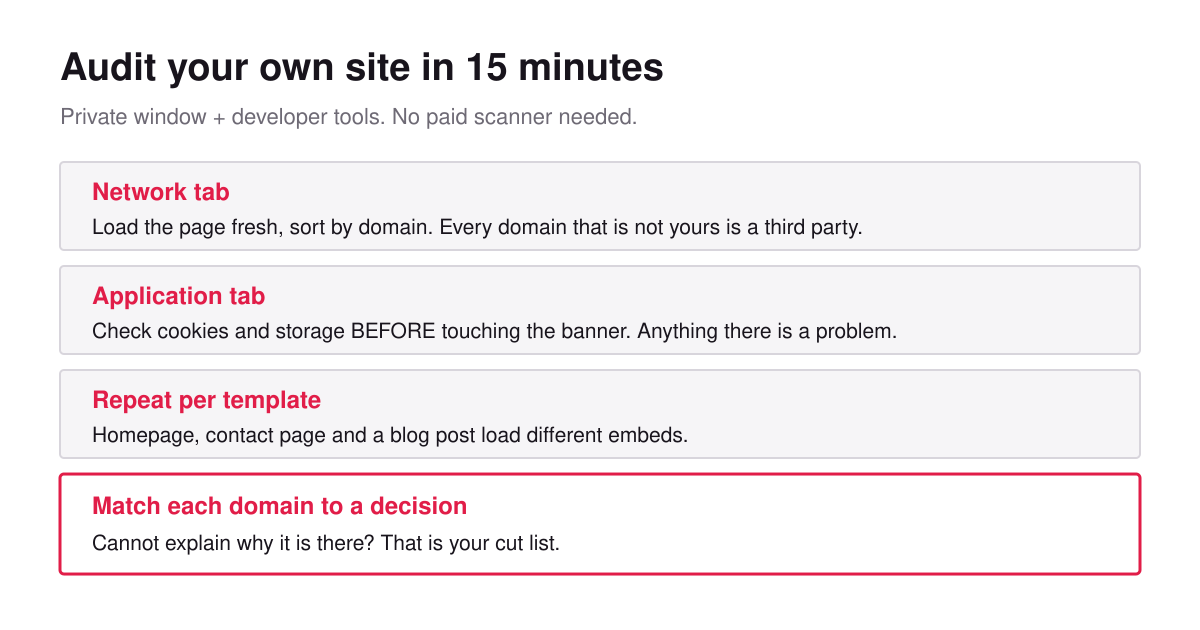
You don’t need a tool for this. Open a private browsing window and your browser’s developer tools.
- Open the Network tab, then load your homepage fresh.
- Sort by domain. Every domain that isn’t yours is a third party receiving something.
- Write them down. Do it before touching anything — that list is your inventory.
- Open the Application tab and look at cookies and local storage before you interact with any banner.
- Repeat on your contact page and a blog post. Different templates load different embeds.
- Match each domain to a decision. Can’t explain why it’s there? That’s your cut list.
Step 4 is the one that matters most. Anything non-essential sitting in storage before the visitor chooses is the clearest compliance problem you can have, and it’s visible in ten seconds.
I’ve never run this on an established site and found zero surprises. The record so far is that fourteen-domain homepage. For a fuller walkthrough on a site you didn’t build, see the analytics audit for an inherited site.
What Browsers Changed, and Why It Pushed Tracking Around
Understanding where the pressure came from makes the current landscape make sense.
Browsers started closing doors. Safari’s tracking prevention work limited how long scripts could keep identifiers around, and Firefox turned on Enhanced Tracking Protection by default, blocking known trackers outright. WebKit publishes its tracking prevention policy openly, and it’s worth a skim — it explains the reasoning better than most commentary does.
The result wasn’t less tracking. It was tracking that adapted. Identifiers moved server-side. Pixels stayed useful because a request carries data by itself. Fingerprinting got more attention precisely because it doesn’t rely on anything the browser can clear.
So here’s the practical takeaway for a site owner. Don’t measure your setup by whether it uses cookies. Measure it by what leaves your site and who receives it. Those are different questions, and only the second one matters to your visitors.
Server-Side Tracking Isn’t Automatically Better
This one deserves a straight answer, because “we moved to server-side” gets used as a privacy claim and often isn’t one.
In a server-side setup, the visitor’s browser talks to your server, and your server forwards data onward to whatever platform you use. That genuinely helps with reliability — ad blockers and browser limits interfere less. It also means you control what gets forwarded, which is a real benefit if you use it.
But here’s the thing: if the destination is still an ad platform, the data still arrives there. You changed the route, not the recipient. From the visitor’s point of view, nothing improved. And because the flow is now invisible in their browser’s network tab, it’s arguably less transparent than before.
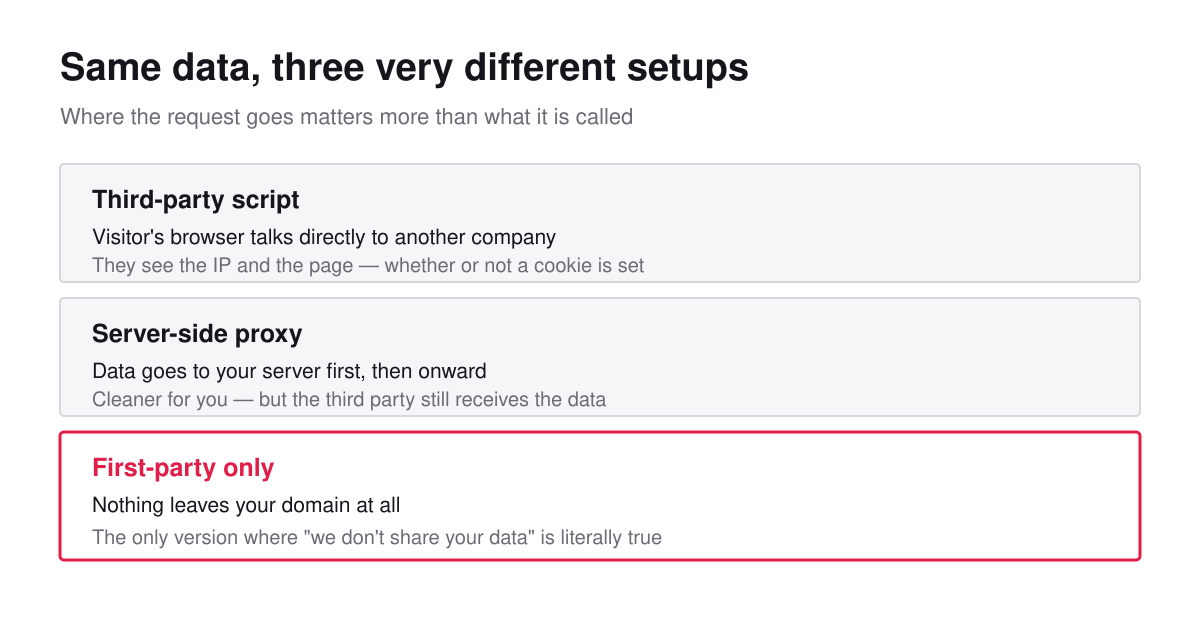
The version that actually changes the privacy story is first-party only — the data goes to your server and stops there. No onward transfer, nothing to disclose beyond your own processing. That’s a much shorter conversation with your visitors and a much shorter privacy notice.
Worth being honest about the trade: first-party-only means giving up the ad platform audiences that depend on the data leaving. If that’s core to your business, keep it and be upfront. Just don’t call the proxy version privacy-friendly when it isn’t.
What to Keep and What to Cut
Run each item through three questions.
Which decision does this change? If nothing you do depends on it, it’s dead weight. Remove it and you’ve removed an obligation at the same time.
Could a first-party version do the same job? Self-hosted fonts instead of a CDN. A click-to-load thumbnail instead of an auto-loading embed. A privacy-first analytics tool instead of a platform that also sells ads.
Would I be comfortable explaining this to a visitor in one sentence? If the honest sentence sounds bad, that’s your answer. This one is unscientific and it works better than the other two.
What usually survives: one analytics tool, your server logs, and a payment provider if you sell things. What usually goes: abandoned scripts, social widgets nobody clicks, and heatmap tools installed for a redesign that finished a year ago. On heatmaps specifically, this comparison covers when they’re actually worth the data cost.
Being Straight With Visitors Pays Off
There’s a business case here, not just a legal one.
A visitor who opens your privacy page and finds a short, specific list — one tool, no ad networks, no data sold — learns something about how you operate. That impression carries over to everything else on the site. I’ve argued the full version of this elsewhere, and I still think it’s underrated.
The reverse also holds. A generic template listing eleven processors, three of which you’ve never heard of, tells its own story. So does a banner engineered to make refusal harder than acceptance — and visitors have gotten very good at spotting those. This piece on banner UX goes into what people actually do when they hit one.
Frequently Asked Questions
Is website tracking illegal?
No. Tracking is legal when you have a proper basis for it, tell people clearly, and — where the method touches their device — get valid consent first. The problems come from undisclosed tracking and from scripts firing before anyone agreed.
Does removing cookies mean I stop tracking?
Not by itself. Pixels and fingerprinting work without cookies. Check what leaves your site, not just what gets stored on the visitor’s device.
Do server logs need consent?
Logs are typically kept under legitimate interest for security and troubleshooting, not consent. That said, they contain IP addresses, so retention limits and access controls still apply. Document the reasoning and set a real deletion period.
What about visitors who block everything?
Some will, and your script-based numbers will undercount them. Server-side measurement sees them; script-based measurement doesn’t. It’s another reason to treat your analytics as a consistent trend line rather than an exact census. More on that in the guide to visitor statistics.
Bottom Line
Website tracking is now a stack of methods, and cookies are only the visible layer. Pixels, fingerprints, embeds, and plain server logs all collect something, and your responsibilities follow the data rather than the technique.
The fix isn’t complicated. Inventory what actually fires, cut everything you can’t tie to a decision, move what’s left to first-party where possible, and describe the rest honestly. Most sites end up with one analytics tool and their logs — and lose nothing they were using.
Do the fifteen-minute audit this week. Then, before you add the next script, decide what question it answers. Writing the measurement plan before picking tools is the habit that prevents the pile from rebuilding itself, and a first-party data strategy is where to go next if you want the long version.

Leon Bauer
Explorer of web analytics and digital measurement tools. I dive deep into features, limitations, and use cases of platforms like Google Analytics, Matomo, Plausible, and others. My mission is to demystify analytics through honest reviews and practical guides.
More about me →