First-Party Data Strategy: Building Your Own Analytics Foundation
 Leon Bauer
·
·
6 min read
Leon Bauer
·
·
6 min read
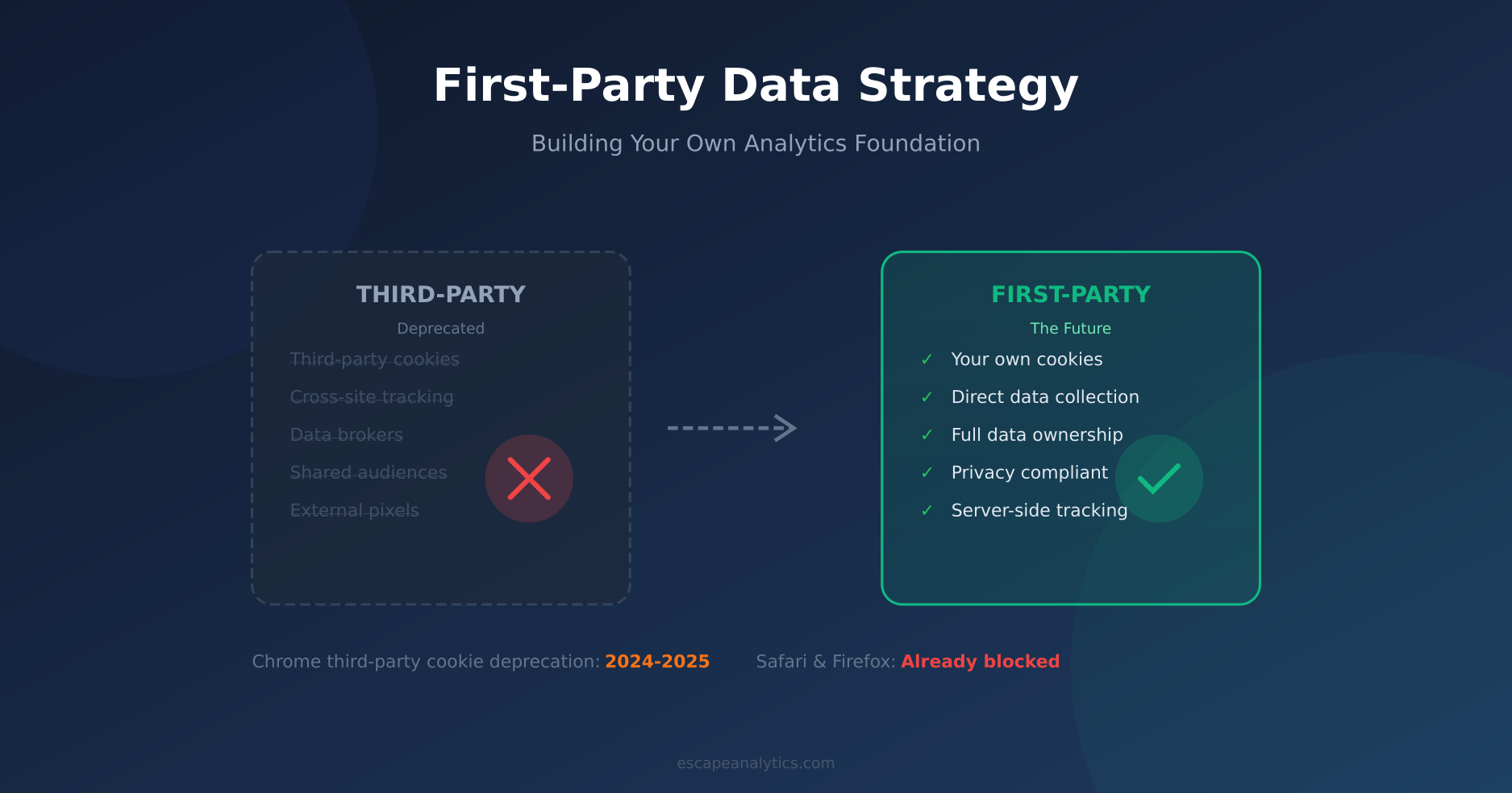
Third-party cookies and tracking are dying. Safari blocked them years ago. Firefox followed. And Chrome—despite multiple delays—is finally pulling the plug. If your analytics strategy still relies on third-party data, you’re building on a foundation that’s actively crumbling.
But here’s the thing: this isn’t a crisis. It’s an opportunity. First-party data—information you collect directly from your users with their consent—is more accurate, more reliable, and more valuable than third-party data ever was. The companies that figure this out now will have a significant advantage.
In this guide, I’ll walk you through building a first-party data strategy from scratch. No fluff—just practical steps you can implement today.
Why First-Party Data Matters Now
Let’s be clear about what we’re dealing with. Third-party data has three fundamental problems that aren’t going away:
- Technical death: Browsers are blocking third-party cookies. ITP, ETP, and similar technologies make cross-site tracking increasingly unreliable.
- Legal pressure: GDPR, CCPA, and emerging privacy laws make third-party data a compliance nightmare.
- Quality issues: Data from brokers is often inaccurate, outdated, and based on inferences rather than actual behavior.
First-party data solves all three problems. You collect it directly, you own it completely, and you know exactly where it came from. Moreover, users are increasingly willing to share data directly with brands they trust—as long as you’re transparent about how you’ll use it.
First-Party vs Third-Party: The Full Picture
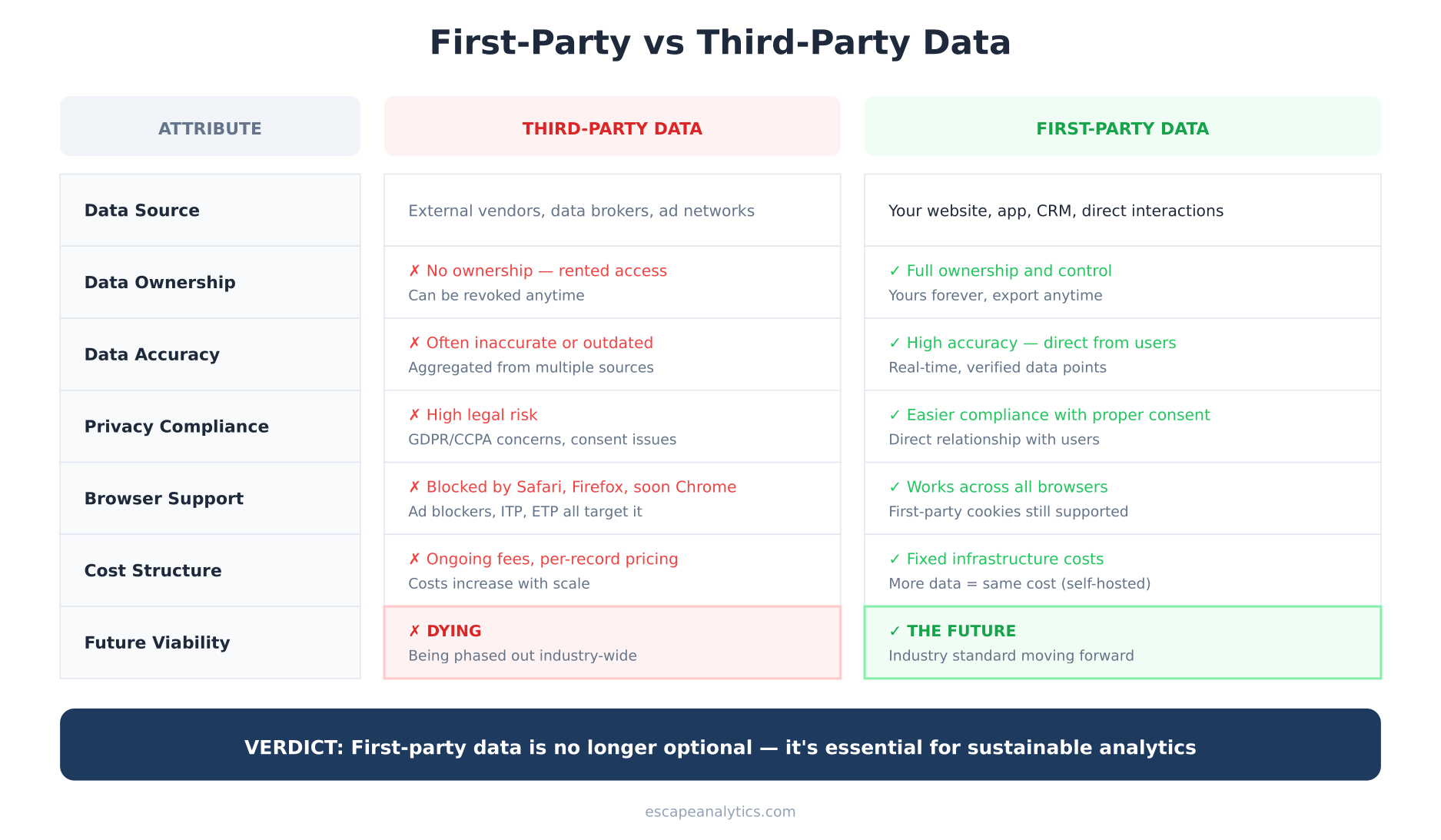
Before diving into implementation, let’s clarify what makes first-party data fundamentally different from the third-party approach.
Third-party data comes from external sources—ad networks, data brokers, social platforms. You’re essentially renting access to information about people who may have never interacted with your business. That access can be revoked anytime, and you have no control over data quality.
First-party data comes from direct interactions with your website, app, or business. Every pageview, form submission, purchase, and support ticket generates first-party data. You own it. You control it. And it’s typically far more accurate because it reflects actual behavior on your properties.
The 4-Step First-Party Data Framework
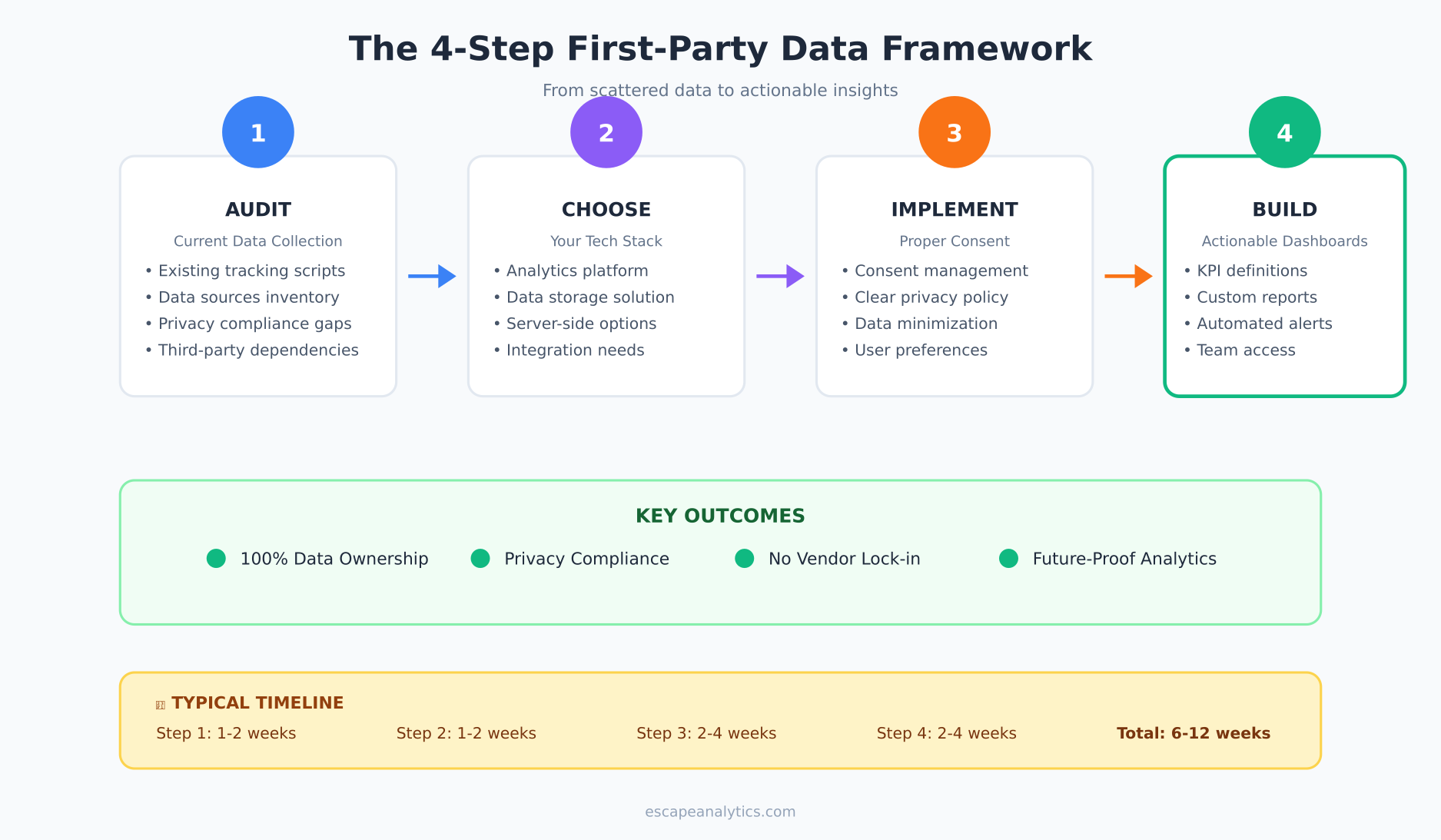
Building a first-party data strategy doesn’t require massive investment or enterprise tools. Follow this framework to get started, regardless of your current technical setup.
Step 1: Audit Your Current Data Collection
You can’t build a strategy without knowing where you’re starting. Take inventory of everything you’re currently collecting:
- Analytics tools: What’s installed? Google Analytics, Hotjar, Facebook Pixel? List every tracking script.
- Data sources: Website, mobile app, CRM, email platform, support tools—where does user data live?
- Third-party dependencies: Which tools rely on third-party cookies? These need replacing first.
- Compliance gaps: Do you have proper consent mechanisms? Can you fulfill data deletion requests?
This audit typically takes 1-2 weeks for a medium-sized site. Don’t rush it—understanding your current state is essential for planning improvements.
Step 2: Choose Your Tech Stack
Your tech stack depends on three factors: traffic volume, technical resources, and budget. Here’s a simplified decision framework:
Small sites (under 100K monthly pageviews): A simple, privacy-first analytics tool like Plausible or Umami covers most needs. These tools use first-party cookies by default and don’t require consent banners in most jurisdictions.
Medium sites (100K-1M pageviews): Consider Matomo self-hosted for full GA-like features with complete data ownership. Add server-side Google Tag Manager if you need marketing platform integrations.
Large sites (1M+ pageviews): You’ll likely need a full Customer Data Platform (CDP) setup—tools like Snowplow or RudderStack for event collection, plus a data warehouse like ClickHouse or BigQuery for storage.
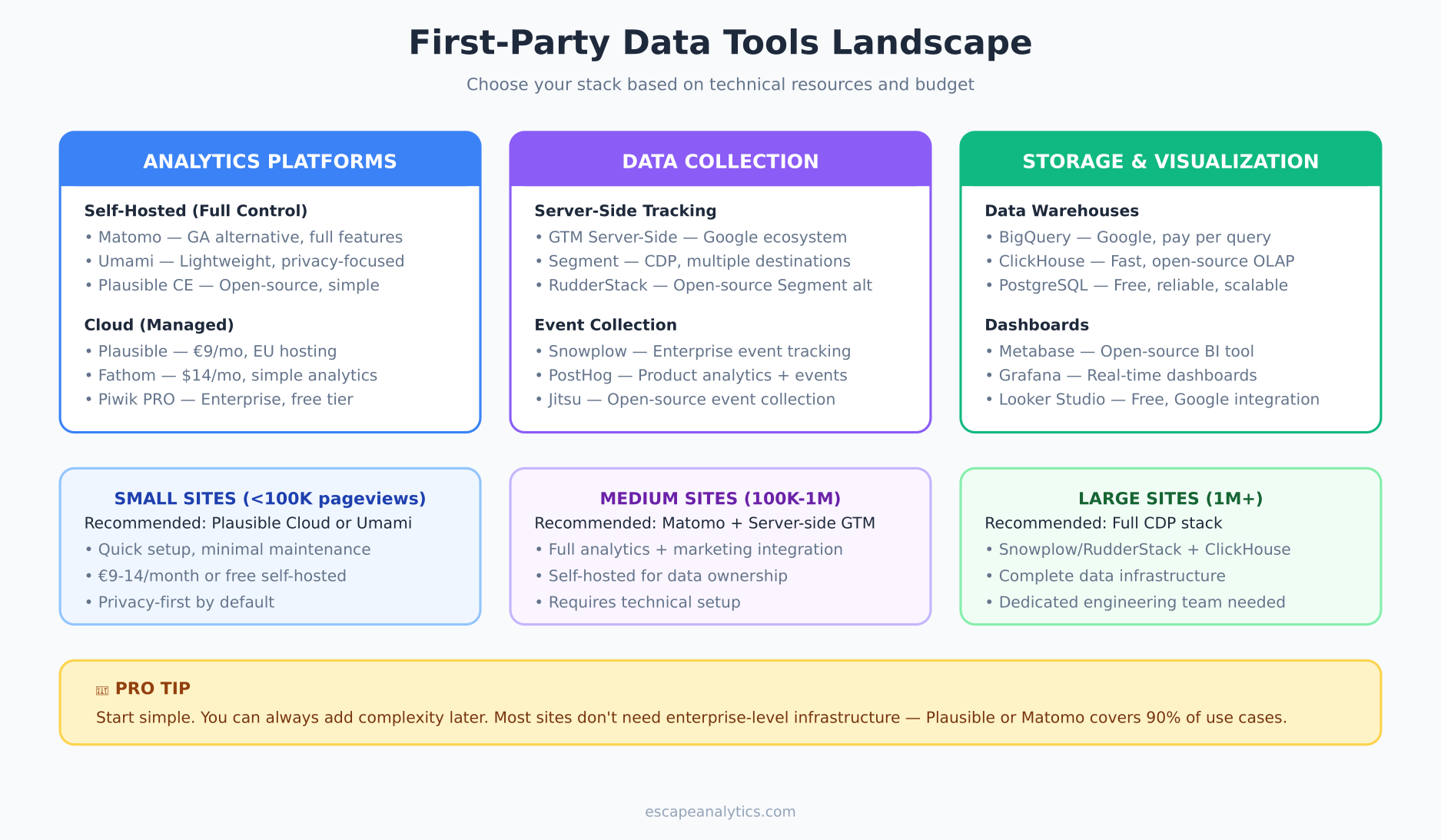
The key principle: start simple. You can always add complexity later. Most sites don’t need enterprise-level infrastructure.
Step 3: Implement Proper Consent
Here’s a common misconception: “First-party data doesn’t need consent.” Wrong. GDPR and similar laws require consent for processing personal data, regardless of whether it’s first-party or third-party.
What does proper consent look like?
- Clear explanation: Tell users what you’re collecting and why, in plain language.
- Genuine choice: Users must be able to decline without being punished (no dark patterns).
- Granular options: Let users choose which data types they’re comfortable sharing.
- Easy withdrawal: Make it as easy to revoke consent as it was to give it.
For analytics specifically, you have options. Privacy-first tools like Plausible can often operate without consent because they don’t collect personal data. But if you’re tracking user IDs, emails, or detailed behavior—you need consent.
Step 4: Build Actionable Dashboards
Data you don’t use is just overhead. The final step is making your first-party data actionable:
- Define KPIs: What metrics actually matter for your business? Focus on 5-10 key indicators, not hundreds of vanity metrics.
- Create custom reports: Build dashboards that answer specific business questions, not generic traffic overviews.
- Set up alerts: Automated notifications when metrics hit thresholds (traffic drops, conversion spikes, etc.).
- Share access: Make data accessible to stakeholders who need it—marketing, product, leadership.
Tools like Metabase (open-source) or Looker Studio (free) can connect to your data sources and create shareable dashboards without engineering resources.
Common Mistakes to Avoid
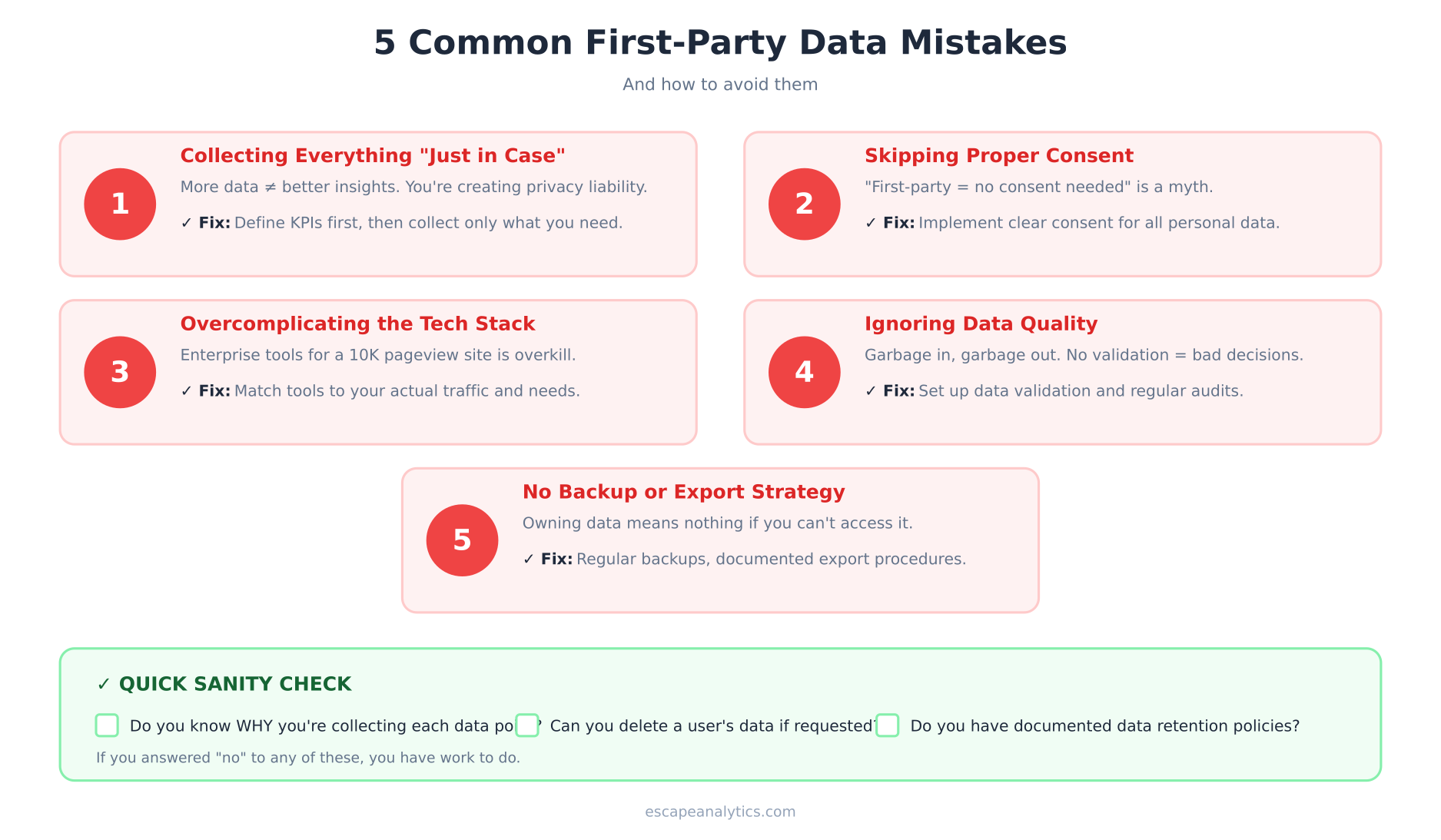
I’ve seen companies make the same mistakes repeatedly when transitioning to first-party data. Here are the big ones:
1. Collecting everything “just in case”
More data doesn’t mean better insights. Every data point you collect is a privacy liability and storage cost. Define what you need before you start collecting.
2. Skipping consent because “it’s first-party”
First-party doesn’t mean consent-free. If you’re processing personal data, you need a legal basis—usually consent or legitimate interest with proper documentation.
3. Overcomplicating the tech stack
A 10,000 pageview site doesn’t need Snowplow, ClickHouse, and a dedicated data team. Match your tools to your actual needs.
4. Ignoring data quality
First-party data isn’t automatically accurate. Bot traffic, duplicate events, tracking bugs—these all corrupt your data. Set up validation and regular audits.
5. No backup or export strategy
Data ownership means nothing if you can’t access your data when you need it. Ensure you have regular backups and documented export procedures.
Frequently Asked Questions
Is first-party data the same as zero-party data?
Not quite. Zero-party data is information users explicitly and intentionally share—survey responses, preference settings, quiz answers. First-party data is broader, including behavioral data you collect through tracking (with consent). Zero-party is a subset of first-party data.
Do I still need Google Analytics with a first-party strategy?
It depends. GA4 can work with first-party data, especially with server-side tagging. However, many companies are switching to alternatives like Plausible, Fathom, or Matomo for simpler compliance and full data ownership. Evaluate based on your specific needs.
How long does implementation typically take?
For a simple setup (privacy-first analytics tool, basic consent): 1-2 weeks. For a full enterprise implementation (CDP, data warehouse, custom dashboards): 2-4 months. Most small to medium businesses can achieve meaningful first-party data capabilities within 6-8 weeks.
What’s the minimum viable first-party data setup?
At minimum: one privacy-respecting analytics tool (Plausible, Umami, or similar), a clear privacy policy, and documented data handling procedures. That’s it. You can expand from there as needs grow.
Can I still run effective marketing without third-party data?
Absolutely. Contextual advertising, first-party audiences, email marketing, and content marketing all work without third-party cookies. In fact, many marketers report better results with first-party data because it’s more accurate and based on actual customer relationships.
Key Takeaways
Building a first-party data strategy isn’t optional anymore—it’s essential for sustainable analytics. Here’s what to remember:
- Start with an audit: Know what you’re currently collecting before making changes.
- Match tools to needs: Don’t overcomplicate. Most sites need simpler tools than they think.
- Consent is still required: First-party doesn’t mean consent-free. Build proper mechanisms.
- Focus on action: Data you don’t use is just overhead. Build dashboards that drive decisions.
- Start now: Third-party cookies are already unreliable. Every day you wait is data you’re losing.
The companies that invest in first-party data infrastructure today will have a significant competitive advantage tomorrow. The best time to start was two years ago. The second best time is now.

Leon Bauer
Explorer of web analytics and digital measurement tools. I dive deep into features, limitations, and use cases of platforms like Google Analytics, Matomo, Plausible, and others. My mission is to demystify analytics through honest reviews and practical guides.
More about me →