
You’ve set up your analytics, traffic is flowing in, and everything looks great—until legal sends you an email asking about “CCPA compliance.” Wait, isn’t GDPR the privacy law everyone talks about? Now there’s another one?
If you’re running a website that attracts visitors from both Europe and California (or anywhere in the US, really), you’re dealing with two major privacy frameworks. And while they share the same goal—protecting user data—they work quite differently. Understanding these differences isn’t just legal homework; it directly affects how you set up and use your analytics.
Let’s break down what each regulation actually means for people who work with web analytics every day.
The 30-Second Version
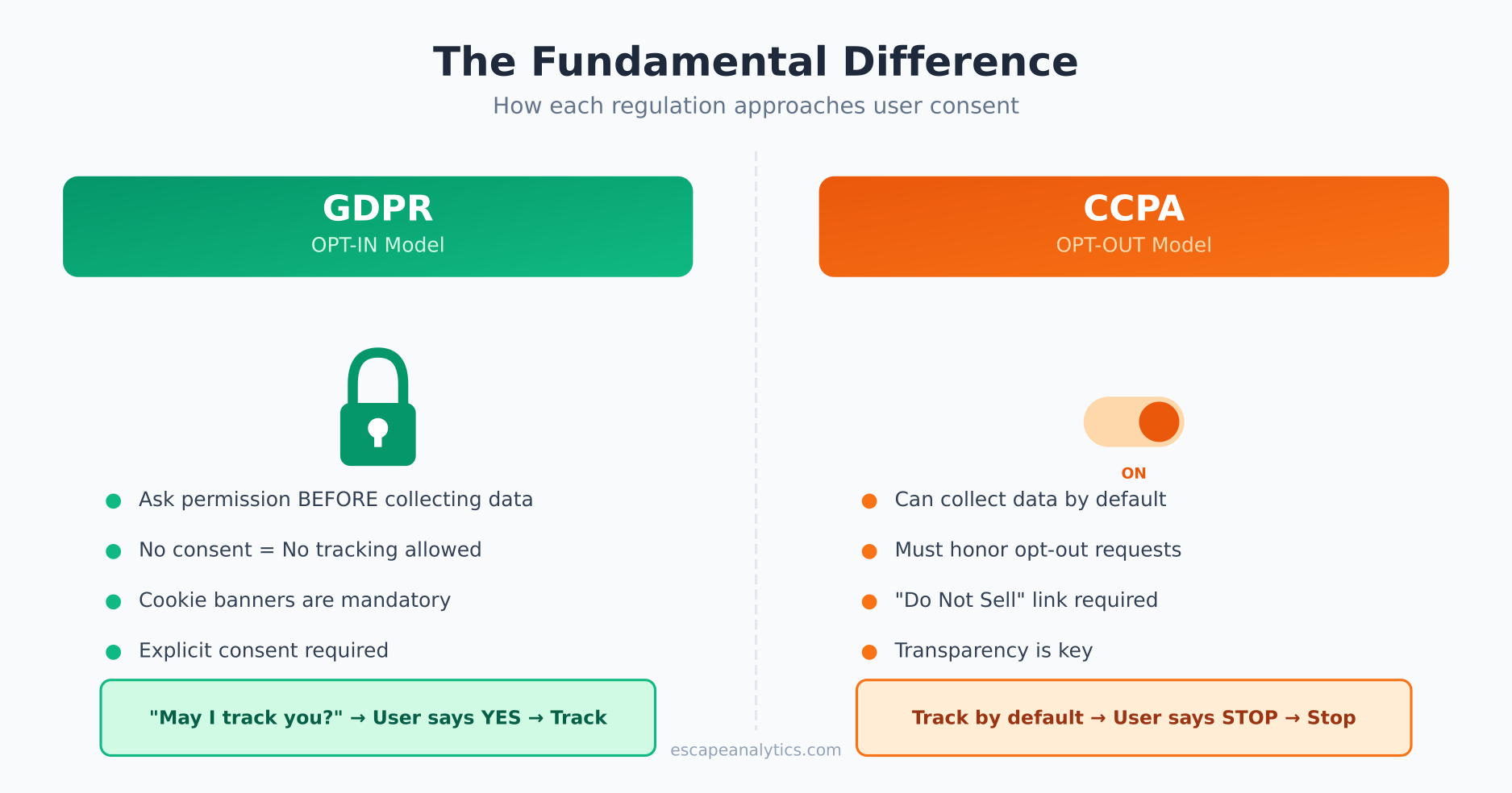
GDPR (General Data Protection Regulation) is the European Union’s privacy law. It requires explicit consent before you collect personal data. No consent = no tracking.
CCPA (California Consumer Privacy Act) is California’s privacy law. It focuses on giving users the right to opt out of data sales and know what’s being collected. You can collect first, but must honor opt-out requests.
The fundamental difference? GDPR is opt-in. CCPA is opt-out. This single distinction changes everything about how you implement analytics.
Why Analytics Users Should Care
Here’s the thing: both laws consider common analytics data as “personal information.” IP addresses, device identifiers, cookie IDs—all of it falls under their scope. That means your standard Google Analytics or Matomo setup is directly affected by these regulations.
Get it wrong, and you’re looking at:
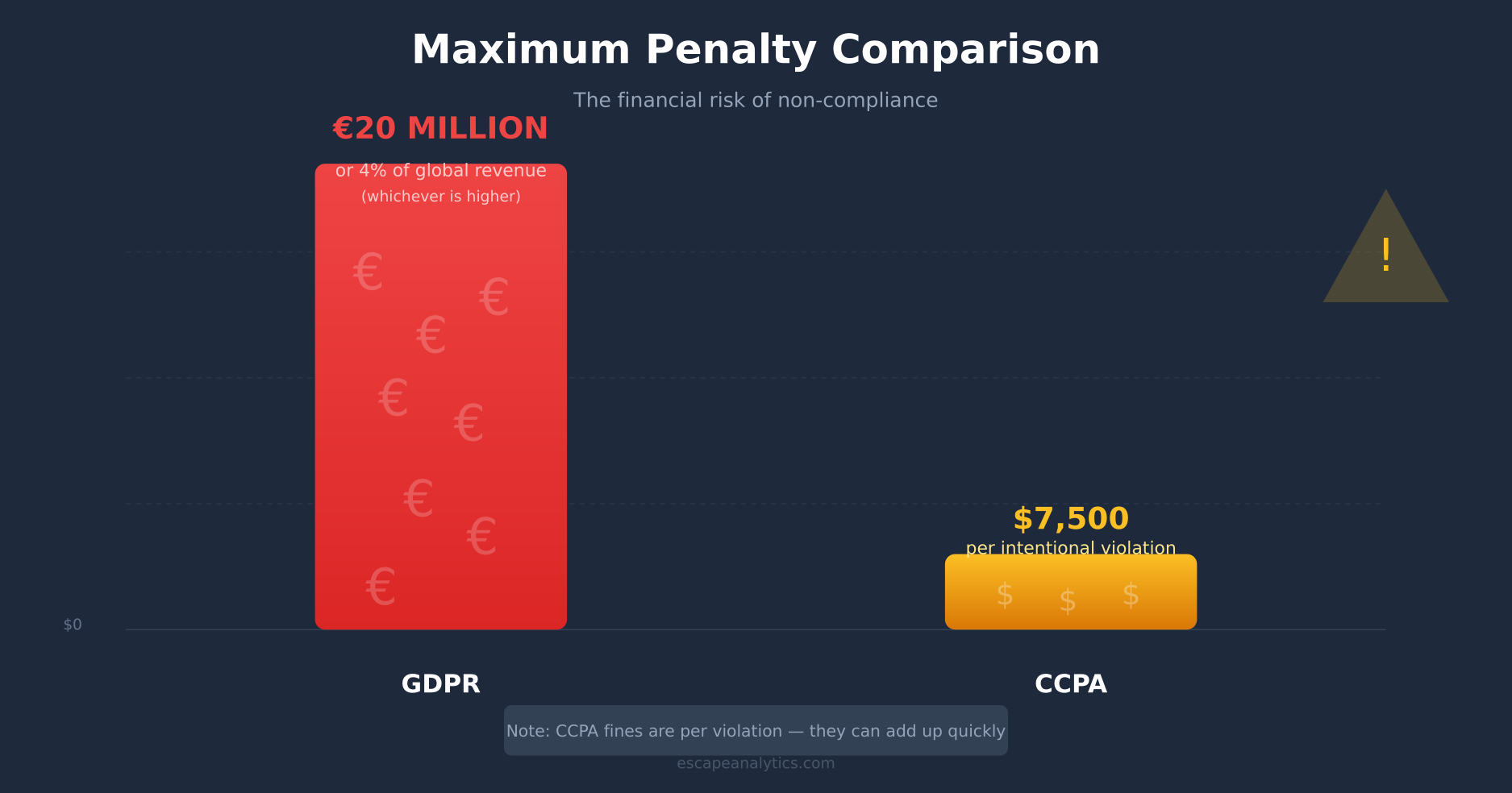
- GDPR fines: Up to €20 million or 4% of global annual revenue (whichever is higher)
- CCPA fines: $2,500 per unintentional violation, $7,500 per intentional violation
- Reputation damage: Nobody wants to be the next “Company X fined for privacy violations” headline
But beyond fines, understanding these laws helps you build a sustainable analytics strategy. One that doesn’t require constant legal reviews every time regulations update.
GDPR: The European Approach
GDPR came into effect in May 2018 and immediately changed how websites worldwide handle European visitors. Its core principle is simple: you need a legal basis to process personal data.
For analytics, the most common legal bases are:
- Consent: User explicitly agrees to tracking (the cookie banner approach)
- Legitimate interest: You have a valid business reason, balanced against user rights (controversial for analytics)
In practice, most websites rely on consent. Hence the flood of cookie banners you see everywhere.
What GDPR Considers Personal Data
GDPR has a broad definition. For analytics purposes, this includes:
- IP addresses (even truncated ones are debated)
- Cookie identifiers
- Device fingerprints
- User IDs
- Any data that could identify a person when combined with other information
This wide scope is why privacy-focused analytics tools like Plausible, Fathom, and Umami have gained popularity, since they’re designed to collect as little as possible and skip cookies.
CCPA: The California Approach
CCPA took effect in January 2020, with the California Privacy Rights Act (CPRA) expanding it in 2023. Unlike GDPR’s consent-first model, CCPA focuses on transparency and user rights.
The key rights CCPA provides:
- Right to know: What personal information is collected and why
- Right to delete: Request deletion of their data
- Right to opt-out: Stop the “sale” of their personal information
- Right to non-discrimination: Can’t penalize users who exercise their rights
The California Attorney General provides official CCPA resources for businesses.
The “Sale” Question
CCPA’s definition of “sale” is surprisingly broad. It includes sharing data for monetary or other valuable consideration. Does sending data to Google Analytics count as a “sale”? The answer isn’t crystal clear, which is why many businesses treat analytics data sharing as potentially covered.
This ambiguity is one reason you see “Do Not Sell My Personal Information” links on websites—even when they’re not obviously “selling” data.
CCPA vs GDPR: Key Differences at a Glance
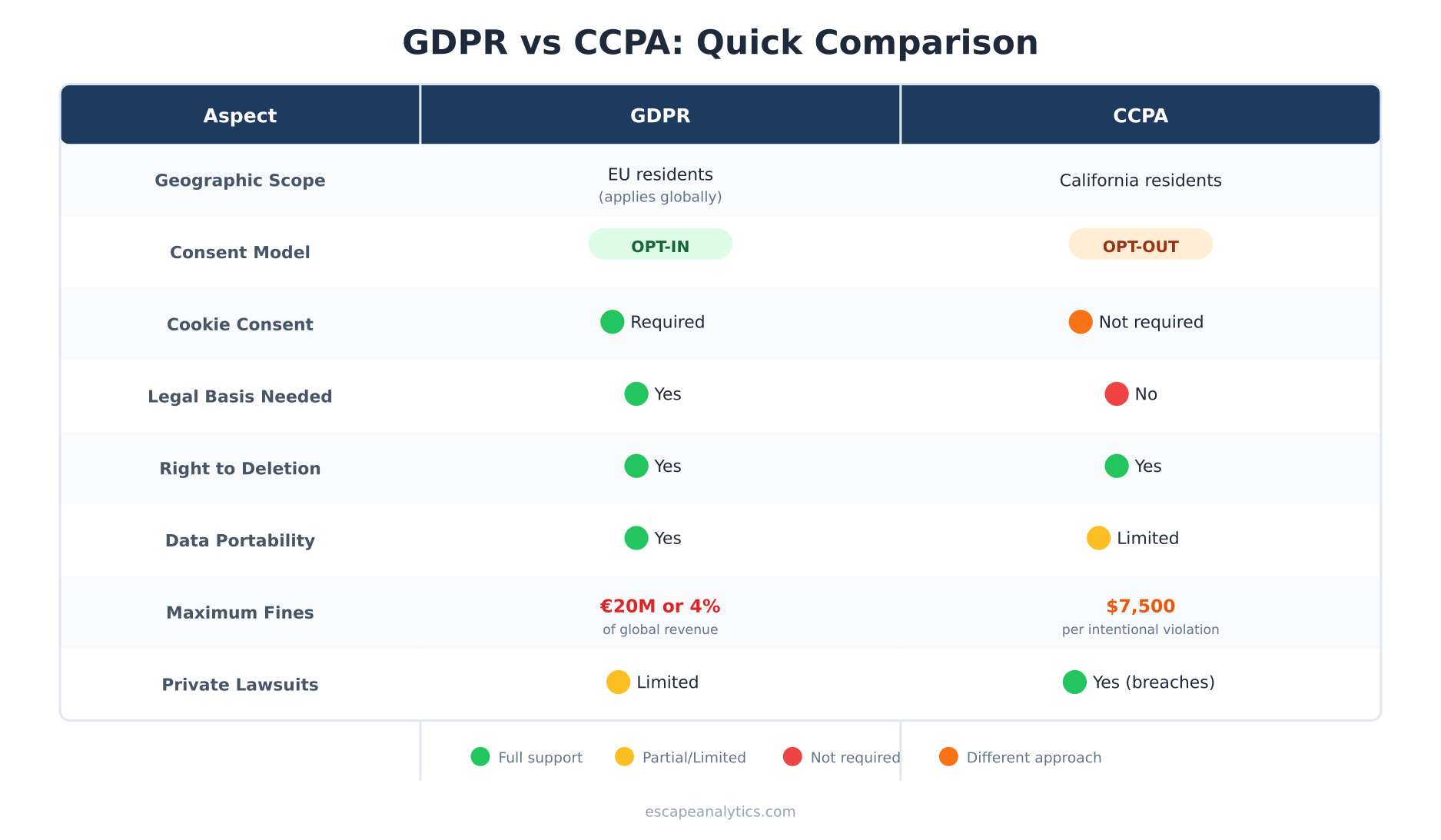
| Aspect | GDPR | CCPA |
|---|---|---|
| Geographic scope | EU residents (applies globally to businesses serving EU) | California residents |
| Who must comply | Any organization processing EU residents’ data | Businesses meeting revenue/data thresholds |
| Consent model | Opt-in (consent required before collection) | Opt-out (can collect, must honor opt-outs) |
| Legal basis needed | Yes (consent, legitimate interest, etc.) | No prior basis required |
| Cookie consent | Required for non-essential cookies | Not explicitly required |
| Right to deletion | Yes (“right to erasure”) | Yes |
| Data portability | Yes | Yes (more limited) |
| Maximum fines | €20M or 4% of global revenue | $7,500 per intentional violation |
| Private lawsuits | Limited | Yes (for data breaches) |
Practical Impact on Your Analytics Setup
Now for the part that actually matters for your day-to-day work. How do these laws change what you need to do?
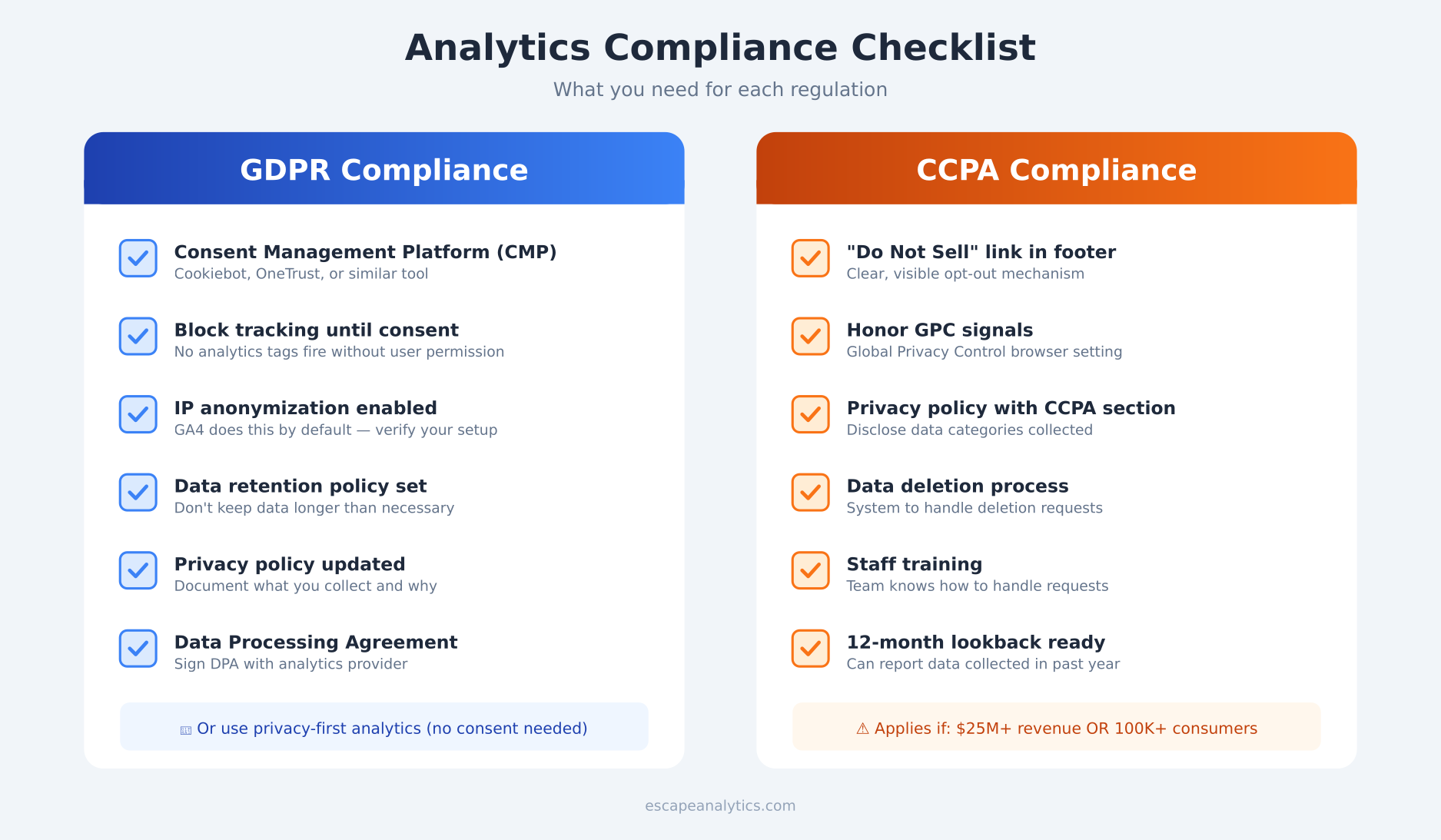
For GDPR Compliance
- Implement a consent management platform (CMP) — Tools like Cookiebot, OneTrust, or open-source alternatives
- Don’t fire analytics tags until consent is given — This often means losing 30-50% of your data in EU countries
- Configure IP anonymization — GA4 does this by default, but verify your setup
- Set appropriate data retention periods — Don’t keep data longer than necessary
- Document your legal basis — Be ready to explain why you’re collecting what you collect
Or, consider privacy-first analytics tools that don’t require consent banners at all.
For CCPA Compliance
- Add a “Do Not Sell My Personal Information” link — Usually in the footer
- Update your privacy policy — Disclose what data you collect and why
- Implement opt-out mechanisms — Honor Global Privacy Control (GPC) signals
- Be ready to delete data on request — Have a process for handling deletion requests
- Train your team — Anyone handling data requests needs to know the process
The Consent Banner Dilemma
Here’s a reality check: cookie consent banners tank your analytics data. Studies show consent rates ranging from 30% to 70%, meaning you’re potentially losing half your visitor data in GDPR regions.
You have a few options:
- Accept the data loss — Use statistical modeling to estimate true numbers
- Switch to cookieless analytics — Tools like Plausible or Fathom don’t need consent under most interpretations
- Use server-side tracking — More complex but gives you more control
- Implement consent mode — GA4’s consent mode provides modeled conversions for non-consented users
There’s no perfect solution. Each approach has trade-offs between data completeness, compliance risk, and implementation complexity.
Which Law Applies to You?
The frustrating answer: possibly both, plus others.
- GDPR applies if you have visitors from the EU (regardless of where your business is located)
- CCPA applies if you do business in California AND meet certain thresholds (annual revenue over $25 million, or handle data of 100,000+ consumers, or derive 50%+ revenue from selling personal information)
Many businesses find it easier to apply the stricter standard (usually GDPR) globally rather than implementing different tracking for different regions. Simpler to manage, even if it means less data.
Beyond GDPR and CCPA: The Growing Landscape
These two laws get the most attention, but they’re not alone:
- Virginia (VCDPA) — Similar to CCPA, effective 2023
- Colorado (CPA) — Also similar, effective 2023
- Connecticut, Utah, Iowa — More state laws coming online
- Brazil (LGPD) — GDPR-like law for Brazilian residents
- Canada (PIPEDA) — Consent-based, being updated
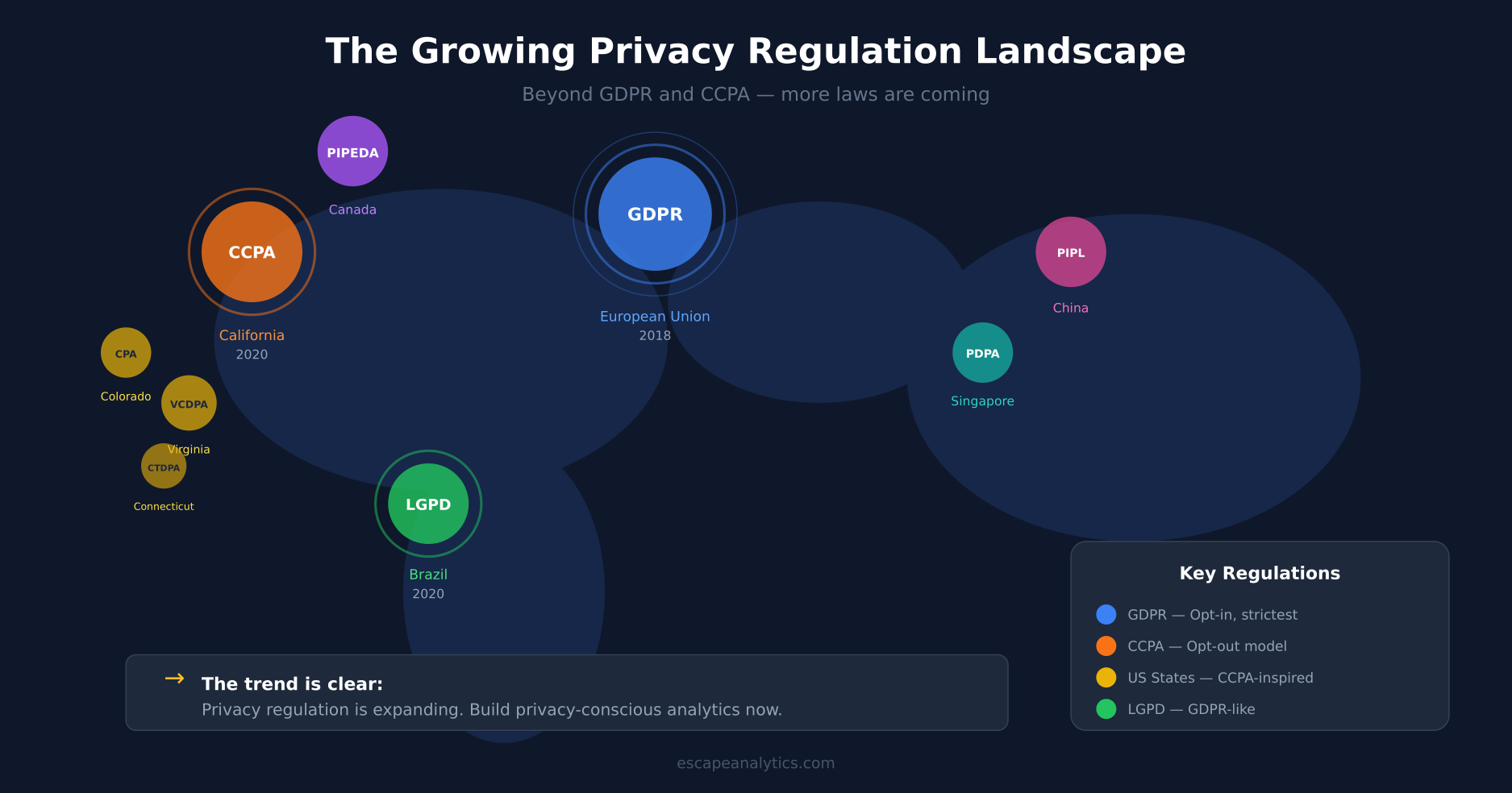
The trend is clear: privacy regulation is expanding. Building a privacy-conscious analytics strategy now saves headaches later.
Frequently Asked Questions
Do I need a cookie banner for CCPA?
Not specifically. CCPA doesn’t require consent before setting cookies and tracking. However, you do need a “Do Not Sell My Personal Information” link and must honor opt-out requests. Many businesses add cookie notices anyway for transparency.
Is Google Analytics GDPR compliant?
It can be, but requires proper configuration: consent before tracking, IP anonymization, appropriate data retention settings, and a valid Data Processing Agreement with Google. Some EU regulators have ruled certain GA implementations non-compliant, so the situation remains complex.
Can I use the same privacy policy for both laws?
Yes, many businesses create a combined privacy policy that addresses both GDPR and CCPA requirements. Just make sure it covers all required disclosures for each regulation.
What about small businesses?
CCPA has revenue thresholds, so many small businesses are exempt. However, GDPR applies regardless of business size if you process EU residents’ data. When in doubt, consult a privacy professional.
Do privacy-focused analytics tools solve everything?
They significantly reduce compliance burden by avoiding personal data collection. Most don’t require cookie consent under GDPR. However, you should still have a privacy policy and understand what data you’re collecting.
Bottom Line
GDPR and CCPA represent two different philosophies: GDPR says “ask first,” while CCPA says “be transparent and respect opt-outs.” For analytics users, GDPR typically has the bigger impact because it affects whether you can collect data at all.
The practical takeaway? Build your analytics with privacy in mind from the start. Whether that means implementing proper consent management, switching to privacy-first tools, or both—the effort pays off in reduced legal risk and sustainable data practices.
Privacy regulations aren’t going away. If anything, they’re multiplying. The businesses that adapt now won’t have to scramble every time a new law passes.

Leon Bauer
Explorer of web analytics and digital measurement tools. I dive deep into features, limitations, and use cases of platforms like Google Analytics, Matomo, Plausible, and others. My mission is to demystify analytics through honest reviews and practical guides.
More about me →