
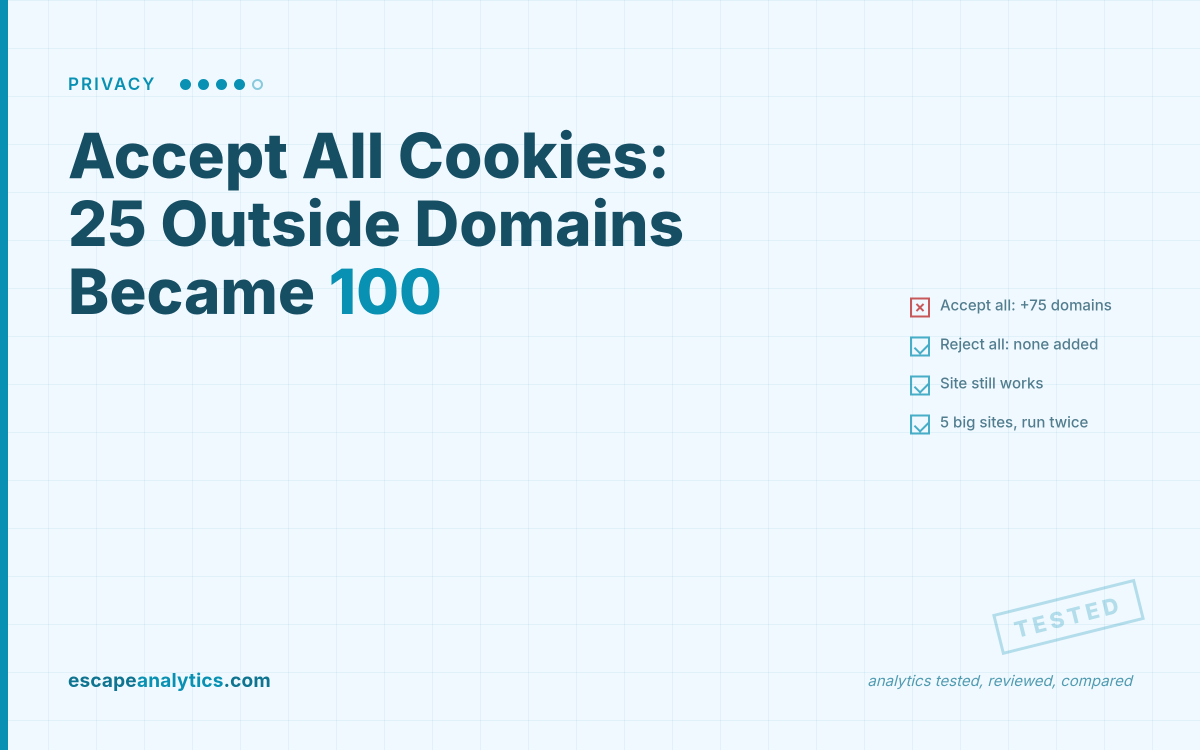
“Accept all cookies” means you let a website and its partners store every type of cookie they use, analytics and advertising included. The few the site needs to work load either way.
So what happens when you click accept all cookies? I wanted a number rather than another opinion, so I pressed it on five big websites, pressed “Reject all” on the same five, and counted the outside domains my browser talked to.
Accept quadrupled them. Reject didn’t add one.
The gray 24 is where Reject left things, and also where those runs started. It’s one short of 25 only because DW happened to reach one fewer outside domain before my click on that run than it did on the accept run.
Plenty of us treat the banner as a speed bump. It pops up, a thumb hits the big button, and we’re back to the recipe without a second thought about who just got invited in.
Those 75 extra domains are what the thumb signed for.
Here’s my take. “Accept all” is a permission slip for a crowd of companies nobody ever sees. Refusing it costs almost nothing on most sites, so I’d save it for the few I’d trust with a spare key.
New to the basics? My guide to how cookies and tracking work in simple terms covers them first.
What Does “Accept All Cookies” Mean?
It switches on every cookie category the banner offers. Most banners sort cookies into four groups, and only the first one loads whatever button gets pressed.
- Strictly necessary. Logins, shopping carts, security checks and the cookie that stores the banner choice.
- Preferences. Language, region or layout, so the site remembers them next time.
- Statistics or analytics. Which pages get viewed, for how long, and how the visitor found the site.
- Marketing or advertising. Profiles of a person’s interests, usually shared with ad networks.
Any of these can be a third-party cookie, set by another company whose code runs on the page.
One banner sentence turns up so often that people paste it into Google whole. It reads “By clicking ‘Accept all cookies’, you agree to the storing of cookies on your device to enhance site navigation, analyze site usage, and assist in our marketing efforts.”
That’s three cookie types in one breath, and you’re agreeing to all of them.
enhance site navigationPreference cookies
analyze site usageAnalytics cookies
assist in our marketing effortsAdvertising cookies, often third‑partyFollows you to other sites
The last phrase is the one that travels. “Our marketing efforts” usually means ad companies that’ll recognize the same browser on other sites too, while the first two mostly stay at home.
What Happens After You Click “Accept All”
What I did. On 26 November 2026 I opened the home pages of IKEA UK, Nature, DW, Bosch and Philips UK in Chrome 147, from a US connection, with a fresh profile and zero cookies for every run.
I gave each page ten seconds to load, clicked accept or reject once, waited fifteen more seconds and counted cookies and outside domains. Every run happened twice, and the numbers here are from the first.
Banners shown in the EU can differ.
I’d expected a bump. I didn’t expect DW.
Before I touched its banner, DW’s home page had set 9 cookies and talked to 5 outside domains. This is the same page fifteen seconds after I pressed “Agree”.
Most of the new cookies came from domains that aren’t DW’s.
A lot happens in those fifteen seconds. The consent tool saves your answer in a cookie of its own and tells the waiting scripts they’re free to run. Then the analytics tags, ad tags and social pixels load, and most of them hand your browser an ID.
An ad network uses that ID to spot the same browser on the next site where its code is running.
Reject was a different story. I went through the same five sites with the other button, and on every one of them the count of outside domains didn’t move from where it’d been before the click.
Bosch was the quiet one.
Its banner asks for one purpose only, “Tracking your use of our websites”, so pressing its “Accept all” added a single outside domain to the page, Google Analytics, and that was it.
The same two words can mean one analytics call or a crowd of ad companies, depending on who’s behind the banner.
One more thing caught my eye. Some calls don’t wait for an answer at all.
While Nature’s banner was still sitting there waiting for me, its home page had already reached nine outside domains, and Google’s ad domains were among them.
Ads can run without tracking cookies, so that alone doesn’t prove anything. Still, the banner’s less of a wall than it looks.
Who Gets Your Data?
DW’s banner answers in numbers. It says “DW and 225 partners” store and access information on your device, which is more companies than I could name if I tried.
The domains that turned up after my clicks fell into three groups.
First came the ad exchanges and bidders, with names like Criteo, PubMatic, OpenX and Amazon’s ad system on DW, plus Google’s DoubleClick on every site except Bosch.
Then came the social networks. Facebook, LinkedIn, TikTok, Pinterest and Snapchat each showed up on at least one of the five sites.
The analytics and session replay tools came last, Google Analytics on Bosch, Contentsquare on IKEA and Chartbeat on Nature.
The site owner gets visit numbers out of all this. Everyone else on that list gets a way to remember the browser.
How Your Data Gets Used for Ads, Retargeting and Profiling
Ad exchanges hold a tiny auction for the ad space while the page loads, and the cookie ID tells the bidders who they’re bidding on. Looked at running shoes yesterday? Today that browser’s worth a bit more to a shoe shop.
Retargeting is the same ID put to work later. A shop’s pixel marked the browser while those shoes were on screen, so the same shoes can follow it onto a news site a week later.
Profiling is the slow part.
IDs that get matched across many sites build up a picture of someone’s interests, habits and likely income. That picture gets bought and sold, and it isn’t only ads that it ends up feeding.
Accept All, Reject All or Customize: What Each Button Does
All five banners in my test put a reject option right next to accept. On IKEA, DW and Philips the two buttons even look the same, and IKEA’s phone banner shows it best.
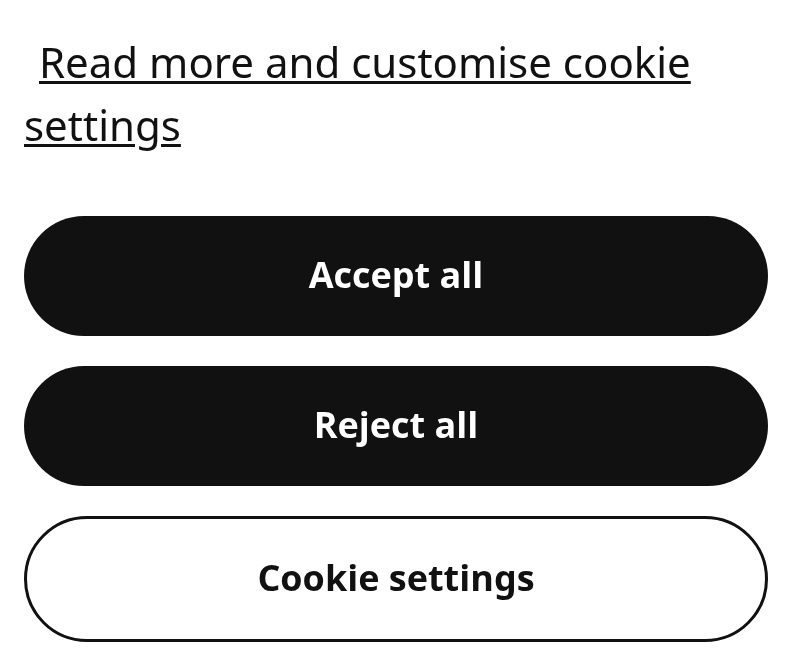
“Accept all” turns on every category. “Reject all”, or “necessary only”, keeps the cookies the site needs to run and nothing else.
“Customize” lets you pick, which is handy if you’re happy to help a site count visits but you’d rather keep the ad crowd out.
Rejecting cost me nothing I could see. Every page loaded and the banner went away.
And if you change your mind later, you’re covered too. In the EU, Article 7 of the GDPR says it must be as easy to withdraw consent as to give it.
Regulators don’t just write these rules down, either. In September 2025, France’s CNIL fined Google €325 million and SHEIN €150 million, in particular over cookies.
Should You Accept or Reject Cookies?
My default is reject.
I’d make an exception for a short list of sites I use every week, and the reason is usually a setting I’m tired of entering again.
Reject, or pick “necessary only”, in these cases.
- It’s a one-off visit to a site that won’t see you again.
- The topic is sensitive, like health, money, legal trouble, religion or politics.
- The banner counts its partners in the hundreds.
- The computer is shared, public or owned by work.
Accepting makes sense when something wanted, like an embedded video or a map, only loads after consent. It also makes sense when a site I like asks for nothing but analytics, which is roughly all Bosch’s banner asked of me.
Should You Accept Cookies on Your Phone?
Same answer. Mobile browsers show the same banners and store the same cookies.
On iPhone, Safari’s Prevent Cross-Site Tracking limits third-party cookies and data by default. That helps, but cookies from the site you’re actually on still follow your banner choice. The two seconds it takes to find Reject are worth it on a phone too.
Does Incognito Mode Change Anything?
A little.
Chrome blocks third-party cookies in Incognito by default and deletes the session’s cookies when it ends.
While the window’s open, though, anything you accepted still records what you do on the page, and the banner comes back next time because your choice was deleted along with everything else.
How to Withdraw Consent After Clicking “Accept All”
Clicked it by accident? Everyone has. I’d start with the site itself.
Sites usually tuck the switch into a “Cookie settings”, “Privacy choices” or “Manage consent” link, in the footer or behind a small floating icon. DW’s sits in the footer as “Data privacy settings”.
Once you flip that switch and save, your consent changes from that moment on. It doesn’t touch what the browser already stored, though.
Clearing that is the second job, and once a site’s cookies are gone, its banner comes back on the next visit and asks the whole question again.
I’ve put the exact taps for Chrome and Safari in the box below.
Delete one site’s cookies in Chrome and Safari
Chrome on a computer
- Open Chrome, select More (the three dots) at the top right, then Settings.
- Select Privacy and security, then Third-party cookies.
- Select See all site data and permissions.
- Search for the website’s name at the top right.
- Select Delete next to the site, then confirm with Delete.
Chrome on Android
- Open Chrome and go to the website.
- Tap More, then Site controls, then Cookies.
- Tap Delete next to the stored data.
Safari on a Mac
- Choose Safari, then Settings, then click Privacy.
- Click Manage Website Data.
- Select the website and click Remove. Remove All clears every site at once.
Safari on iPhone
- Open Settings, tap Apps, then Safari.
- Tap Advanced, then Website Data.
- Tap Remove All Website Data, then Remove Now.
Apple’s help page only describes clearing all website data on iPhone. Signing back in to your usual sites is the price.
Menu names checked against Google’s and Apple’s own help pages on 26 November 2026.
Deleting cookies only cleans your own device.
Data that’s already gone to the site and its partners stays on their servers. People in the EU and UK can ask a company to erase it under the GDPR.
Frequently Asked Questions
Is It Safe to Accept All Cookies?
Cookies aren’t malware and can’t infect a device. The risk is privacy. Accepting all lets dozens of outside companies recognize your browser, and on DW it took them 15 seconds to get there.
What Happens If I Reject All Cookies?
The site keeps working in most cases, because strictly necessary cookies load anyway, and on all five of my test sites rejecting didn’t add a single outside domain to the page.
Do I Have to Accept Cookies to Use a Website?
Usually not. Some news publishers ask for consent to tracking or a payment instead. DW’s banner says the opposite in plain words, that all its content is available without consent.
Do Cookie Banners Actually Protect My Privacy?
They can, when Reject is as easy to find as Accept. Plenty still pair a bright “Accept all” with a pale or hidden “Reject” link. The Electronic Frontier Foundation has written about how online tracking and these design tricks work.
Bottom Line
“Accept all cookies” is the most generous answer anyone can give a banner.
On DW it meant 25 outside domains leaving cookies within 15 seconds. On Bosch it meant one analytics call, which is about as polite as tracking gets.
So here’s where I’ve landed. Reject by default, accept where there’s a reason I can name, and clear the cookies when I change my mind.
Run a site yourself? Your visitors can be spared most of this.
Measure with one of the privacy-first analytics platforms that skip invasive tracking, and make “Reject all” as easy as “Accept all” on the banner.
It’s possible to improve UX without tracking individual users, and a first-party data strategy holds up better than borrowed cookies anyway.

Leon Bauer
Explorer of web analytics and digital measurement tools. I dive deep into features, limitations, and use cases of platforms like Google Analytics, Matomo, Plausible, and others. My mission is to demystify analytics through honest reviews and practical guides.
More about me →